fps_max<number>saved
Caps your frame rate. 0 = no limit.
The Console Commands Lookup Tool lists 93 Dota 2 console commands that still work: FPS, ping, camera, bots and cheats. Search, copy, done.
fps_max<number>saved
Caps your frame rate. 0 = no limit.
fps_max_ui<number>saved
Caps the frame rate while the game UI (dashboard/menus) is shown. 0 = no limit.
cl_showfps0-4
Draws an FPS meter at the top of the screen: 1 = fps, 2 = smooth fps, 3 = server ms, 4 = fps + log to file.
mat_viewportscale<0.4-1>hidden
Scales down the 3D game view (UI stays sharp) - fewer pixels to render, more FPS.
cl_globallight_shadow_mode<number>hidden
Shadow quality. Lower = cheaper shadows.
dota_cheap_water0/1hidden
1 = low-quality water (turns off "High Quality Water").
r_ssao0/1hidden
Screen-space ambient occlusion on or off (video setting "Ambient Occlusion").
r_grass_quality0-4hidden
Grass quality: 0 = off, 1 = low, 2 = medium, 3 = high, 4 = ultra.
r_texturefilteringquality0-5hidden
Texture filtering: 0 = bilinear, 1 = trilinear, 2-5 = anisotropic 2x/4x/8x/16x.
r_low_latency0-2hidden
NVIDIA Low Latency / AMD Anti-Lag 2: 0 = off, 1 = on, 2 = on + boost (NVIDIA only).
dota_ambient_creatures0/1hidden
Critters walking around the map on or off (video setting "Ambient Creatures").
dota_ambient_cloth0/1hidden
Cloth simulation on hero models on or off (video setting "Ambient Cloth Simulation").
dota_portrait_animate0/1hidden
Animated hero portrait on or off (video setting "Animate Portrait").
r_dota_allow_wind_on_trees0/1hidden
Trees swaying in the wind on or off (video setting "Tree Wind").
sys_info
Prints your system information (CPU, GPU, etc.) to the console.
dota_hud_netgraph0/1saved
Shows net stats on the HUD: FPS, ping, packet loss and kbps.
cl_updaterate<number>saved
Number of update packets per second you request from the server.
status
Prints your connection status.
disconnect
Disconnects you from the current server.
dota_hud_disable_damage_numbers0/1saved
Hides the incoming and outgoing damage numbers.
dota_hud_healthbar_disable_status_display0/1saved
Hides the status text (e.g. stunned, silenced) above hero health bars.
dota_hud_healthbar_local_player_high_visibility0/1saved
Makes your own hero's health bar stand out (high-visibility style).
dota_hero_overhead_names0-3saved
What is shown above health bars: 0 = hero names, 1 = player names, 2 = facet names, 3 = nothing.
dota_minimap_hero_size<number>saved
Size of hero icons on the minimap.
dota_hud_extra_large_minimap0/1saved
Sets the minimap to extra large size.
dota_minimap_disable_rightclick0/1saved
Disables right-clicking (move orders) on the minimap.
dota_minimap_misclick_time<seconds>saved
Minimum time after the mouse enters the minimap before a move command is accepted (prevents misclicks).
dota_minimap_hero_scalar0/1saved
Scales minimap hero icons depending on how close they are to each other.
dota_minimap_hero_spread0/1saved
Spreads hero icons apart on the minimap when they are close together.
dota_minimap_primary_option0-3saved
Minimap hero display: 0 = hero icon with arrow, 1 = arrow with player colors, 2 = arrow with team colors, 3 = hero icon only.
dota_minimap_background_option0-2saved
Minimap background: 0 = none, 1 = simple, 2 = realistic.
dota_show_hero_finder0/1saved
Shows an indicator on your hero while Alt is held.
dota_range_display<radius>hidden
Draws a ring around your hero at the given radius (e.g. 1200 = Blink Dagger range). 0 = off.
cl_dota_alt_unit_movetodirection0/1saved
Holding Alt + right-click moves in a direction (move-to-direction mode).
dota_player_smart_multiunit_cast0/1saved
With several identical units selected, cast the same spell from each without reselecting (handy for Meepo).
dota_force_right_click_attack0-2saved
Right-click on allies: 0 = follow, 1 = attack, 2 = deny if deniable (else follow).
cl_drawhud0/1sv_cheats
Turns HUD rendering on or off (clean screenshots).
dota_camera_distance<number>sv_cheats
Camera zoom distance. Higher = further out.
r_farz<number>sv_cheats
Overrides the far clipping plane (-1 = map default). Used with a big camera distance so the map edge does not go black.
fog_enable0/1sv_cheats
Turns fog rendering on or off.
dota_camera_disable_zoom0/1saved
Disables zooming the camera with the mouse wheel.
dota_camera_speed<2000-8000>saved
Camera move speed (setting "Camera Speed", slider 2000-8000).
dota_camera_accelerate<5-50>saved
How fast the camera accelerates/stops when edge-panning or using keys (setting "Camera Deceleration", 5-50).
dota_camera_edgemove0/1saved
Move the camera by pushing the mouse to the screen edge.
dota_reset_camera_on_spawn0/1saved
Camera jumps back to your hero when you respawn.
dota_screen_shake0/1saved
Screen shake from spells and stuns on or off.
dota_camera_get_lookatposhidden
Prints the main camera's look-at position (x, y).
dota_camera_set_lookatpos<x> <y>hidden
Moves the main camera's look-at point to x/y map coordinates.
sv_cheats0/1
Allows cheat commands on the server you host.
dota_create_unit<unit> [enemy|neutral] [facet]sv_cheats
Spawns a unit or hero at your cursor (chat version: -createhero).
dota_create_item<item_name>sv_cheats
Creates an item for the selected unit (chat: -item). Uses internal names like item_blink.
dota_dev<subcommand> [value]sv_cheats
Dev cheat commands, e.g. hero_level <n>, player_givegold <n>, hero_refresh, hero_respawn, hero_maxlevel, forcegamestart, hero_teleport.
dota_ability_debug0/1sv_cheats
No mana cost and no cooldowns (chat: -wtf / -unwtf).
dota_all_vision0/1sv_cheats
Shared vision for Radiant and Dire (chat: -allvision / -normalvision).
dota_easybuy0/1sv_cheats
Everything is free, all shops are in range, and you can buy for other heroes.
host_timescale<factor>sv_cheats
Speeds up or slows down game time (1 = normal).
dota_spawn_creepssv_cheats
Instantly spawns lane creeps in all lanes (chat: -spawncreeps).
dota_spawn_neutralssv_cheats
Instantly spawns all neutral camps (chat: -spawnneutrals).
dota_creeps_no_spawning0/1sv_cheats
Stops lane and neutral creeps from spawning (chat: -disablecreepspawn / -enablecreepspawn).
dota_kill_creeps<radiant|dire|neutral|all>sv_cheats
Kills creeps of the chosen side instantly (chat: -killcreeps).
dota_spawn_runesv_cheats
Spawns runes at the rune spots (chat: -spawnrune).
dota_treerespawnsv_cheats
Respawns all trees on the map (chat: -trees).
dota_respawn_roshansv_cheats
Respawns Roshan.
dota_neutral_spawn_interval<seconds>sv_cheats
Time between neutral camp respawns (default 60).
record<name>sv_cheats
Records a demo of the current game.
dota_bot_populate
Fills the remaining slots with bots.
dota_bot_set_difficulty0-3sv_cheats
Sets all bots to a difficulty: 0 = easy, 1 = medium, 2 = hard, 3 = unfair.
dota_bot_give_level<levels>sv_cheats
Gives all bots the given number of levels (chat: -levelbots).
dota_bot_give_item<item_name>sv_cheats
Gives all bot heroes an item (chat: -givebots).
dota_bot_give_gold<gold>sv_cheats
Gives all bots the given amount of gold.
volume0-1saved
Master sound volume.
snd_musicvolume0-1saved
Music volume.
snd_gamevolume0-1saved
Game (effects) volume.
snd_voipvolume0-2saved
Voice chat volume.
dota_speech_level0-2saved
Unit speech: 0 = none, 1 = only events, 2 = all.
con_enable0/1saved
Allows the console to be opened. Same as “Enable console” in the settings.
toggleconsole
Shows or hides the console. Bound to \ by default.
bind"<key>" "<command>"
Binds a key to a command.
unbind"<key>"
Removes the binding from a key.
key_listboundkeys
Lists all bound keys with their commands.
alias<name> "<commands>"
Creates your own command name for one or more commands.
exec<file>
Runs a .cfg file from game/dota/cfg (".cfg" can be left out).
echo<text>
Prints text to the console.
echoln<text>
Prints the arguments as a line in the console.
clear
Clears the console output.
find<text>
Finds commands containing the text in their name or help text.
help<command>
Shows help for a command or variable.
differences
Shows every variable that is not at its default value.
toggle<var>
Toggles a variable on and off.
incrementvar<var> <min> <max> <step>
Steps a variable up by a value within min/max.
host_writeconfig
Saves the current user config values.
say<text>
Sends a chat message to all.
quit
Closes the game.
Unknown command. Axe typed that once too. The console just stared back.
-console to the launch options. Or tick “Enable console” in the game settings.\. The same key closes the console again.-console to the launch options. Or tick “Enable console” in the game settings.\. The same key closes the console again.
This tool is created with love for Dota 2 and for helping you to play better every day and rank up! Have Fun and Enjoy!
By Kevin “Kevin10k”·Dota 2 Expert · Mid & Offlane PlayerArticle updated
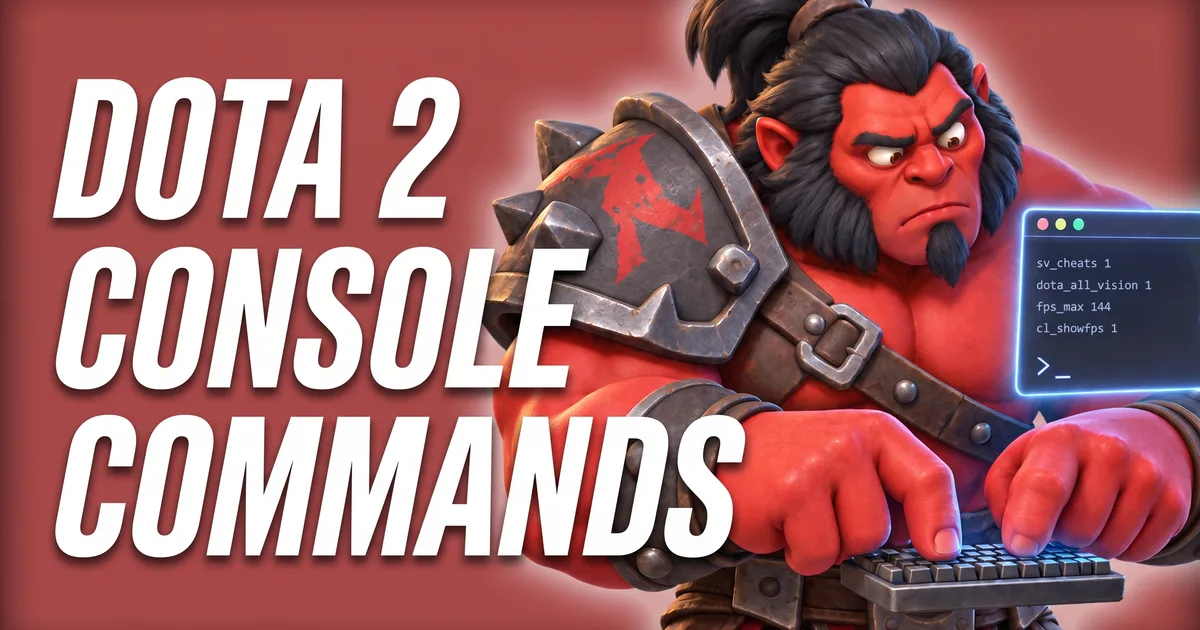
The Console Commands Lookup Tool is a list of 93 Dota 2 console commands that still exist in the game today. Not the list from 2015 that half the internet copied. Type what you want, copy the line, paste it into the console. Axe used to guess commands. The console said no. A lot.
+ in front.Axe explains
The console in 10 seconds
Cheats work in lobbies. Not in ranked. Axe checked.
The console is off by default. Turn it on once, and it stays on:
-console to the launch options. Or tick “Enable console” in the game settings.\. The same key closes the console again.The game binds the console to \ out of the box. On many keyboards outside the US that key sits somewhere odd. Pick your own key under Settings → Hotkeys → Console, and the problem is gone.
Setting up launch options anyway? The Launch Options Generator writes the whole line for you, -console included.
Let Axe save you an hour: no console command doubles your FPS. The graphics settings in the game do most of the work. What the console does well is showing your FPS and setting a clean limit.
fps_max 144Caps your frame rate. 0 = no limit.fps_max_ui 60Caps the frame rate while the game UI (dashboard/menus) is shown. 0 = no limit.cl_showfps 1Draws an FPS meter at the top of the screen: 1 = fps, 2 = smooth fps, 3 = server ms, 4 = fps + log to file.mat_viewportscale 0.8Scales down the 3D game view (UI stays sharp) - fewer pixels to render, more FPS.cl_globallight_shadow_mode 1Shadow quality. Lower = cheaper shadows.dota_cheap_water 11 = low-quality water (turns off "High Quality Water").r_ssao 0Screen-space ambient occlusion on or off (video setting "Ambient Occlusion").r_grass_quality 0Grass quality: 0 = off, 1 = low, 2 = medium, 3 = high, 4 = ultra.r_texturefilteringquality 1Texture filtering: 0 = bilinear, 1 = trilinear, 2-5 = anisotropic 2x/4x/8x/16x.r_low_latency 1NVIDIA Low Latency / AMD Anti-Lag 2: 0 = off, 1 = on, 2 = on + boost (NVIDIA only).dota_ambient_creatures 0Critters walking around the map on or off (video setting "Ambient Creatures").dota_ambient_cloth 0Cloth simulation on hero models on or off (video setting "Ambient Cloth Simulation").dota_portrait_animate 0Animated hero portrait on or off (video setting "Animate Portrait").r_dota_allow_wind_on_trees 0Trees swaying in the wind on or off (video setting "Tree Wind").sys_infoPrints your system information (CPU, GPU, etc.) to the console.Most of these are the console versions of normal video settings (grass, shadows, water, render quality). The video menu is the easy way to change them. The console and an autoexec are for forcing them at every start.
A good start: cl_showfps 1, play a game, look at the number. Then set fps_max to your monitor’s refresh rate or a little above it. A steady limit feels smoother than FPS that jump up and down, and your PC stays cooler.

Axe set fps_max to 999. The PC got hot. Axe cooked an egg on it. Good egg. Bad idea.
Old guides tell you to type net_graph 1. That command does not exist in Dota 2 anymore. The Dota version is dota_hud_netgraph 1: FPS, ping, packet loss and kbps right on your HUD. It is the same as the setting “Display Network Information”, and the game remembers it. These are the network commands the game still knows:
dota_hud_netgraph 1Shows net stats on the HUD: FPS, ping, packet loss and kbps.cl_updaterate 30Number of update packets per second you request from the server.statusPrints your connection status.disconnectDisconnects you from the current server.A console command cannot make your internet faster. If your ping is high, pick a closer server region in the matchmaking settings and close downloads in the background.
Cheat commands are Valve’s practice tools. They work in a lobby with cheats turned on: create a lobby, switch on Enable Cheats in the lobby settings, start. Many console commands also need sv_cheats 1 typed into the console first, even with cheats on in the lobby. In matchmaking none of this works.
sv_cheats 1Allows cheat commands on the server you host.dota_create_unit npc_dota_hero_axe enemySpawns a unit or hero at your cursor (chat version: -createhero).dota_create_item item_blinkCreates an item for the selected unit (chat: -item). Uses internal names like item_blink.dota_dev player_givegold 99999Dev cheat commands, e.g. hero_level <n>, player_givegold <n>, hero_refresh, hero_respawn, hero_maxlevel, forcegamestart, hero_teleport.dota_ability_debug 1No mana cost and no cooldowns (chat: -wtf / -unwtf).dota_all_vision 1Shared vision for Radiant and Dire (chat: -allvision / -normalvision).dota_easybuy 1Everything is free, all shops are in range, and you can buy for other heroes.host_timescale 2Speeds up or slows down game time (1 = normal).dota_spawn_creepsInstantly spawns lane creeps in all lanes (chat: -spawncreeps).dota_spawn_neutralsInstantly spawns all neutral camps (chat: -spawnneutrals).dota_creeps_no_spawning 1Stops lane and neutral creeps from spawning (chat: -disablecreepspawn / -enablecreepspawn).dota_kill_creeps allKills creeps of the chosen side instantly (chat: -killcreeps).dota_spawn_runeSpawns runes at the rune spots (chat: -spawnrune).dota_treerespawnRespawns all trees on the map (chat: -trees).dota_respawn_roshanRespawns Roshan.dota_neutral_spawn_interval 30Time between neutral camp respawns (default 60).record mydemoRecords a demo of the current game.dota_bot_populateFills the remaining slots with bots.dota_bot_set_difficulty 2Sets all bots to a difficulty: 0 = easy, 1 = medium, 2 = hard, 3 = unfair.dota_bot_give_level 5Gives all bots the given number of levels (chat: -levelbots).dota_bot_give_item item_black_king_barGives all bot heroes an item (chat: -givebots).dota_bot_give_gold 5000Gives all bots the given amount of gold.With cheats on in the lobby, the same things also work as short chat commands like -lvlup 25 or -refresh. The tool shows the chat version next to each console command where there is one.
 Hero guides · Dota2FreaksPracticing a hero? Read his guide firstEvery hero with build, skill order and matchups. Test the build in your cheat lobby, then take it into a real game.
Everybody wants to zoom out. The command is dota_camera_distance (default 1200), and it is a cheat command. It only works in a lobby with sv_cheats 1. In normal games Valve keeps the camera the same for everybody, so nobody sees more of the map than you. Fair. Annoying, but fair.
dota_camera_distance 1400Camera zoom distance. Higher = further out.r_farz 18000Overrides the far clipping plane (-1 = map default). Used with a big camera distance so the map edge does not go black.fog_enable 0Turns fog rendering on or off.dota_camera_disable_zoom 1Disables zooming the camera with the mouse wheel.dota_camera_speed 4000Camera move speed (setting "Camera Speed", slider 2000-8000).dota_camera_accelerate 49How fast the camera accelerates/stops when edge-panning or using keys (setting "Camera Deceleration", 5-50).dota_camera_edgemove 0Move the camera by pushing the mouse to the screen edge.dota_reset_camera_on_spawn 1Camera jumps back to your hero when you respawn.dota_screen_shake 0Screen shake from spells and stuns on or off.dota_camera_get_lookatposPrints the main camera's look-at position (x, y).dota_camera_set_lookatpos -1500 -1200Moves the main camera's look-at point to x/y map coordinates.sv_cheats 1. In matchmaking they do nothing.-console in the launch options and no console in the settings: the \ key does nothing.-lvlup) go into the chat.net_graph or mat_vsync were removed. The tool only lists commands the game still has.fps_max alone just shows the current value. fps_max 144 changes it.Some settings are saved by the game itself (the tool marks them saved), others reset when you close Dota. cl_showfps is one that resets. Two ways to make them stick: put them in your launch options with a plus (+fps_max 144), or write them into an autoexec.cfg file that the game runs at every start.
The Autoexec.cfg Generator builds that file for you, with the right name and the right folder. Your list from the tool above goes straight in.
Planning your keys too? The Hotkey Layout Builder shows your whole layout on a keyboard.
The console also plays replays: playdemo runs a replay file from your replays folder. The Match ID Lookup finds any match and its replay download.
Every command in the tool, by category. sv_cheats means it only works in a lobby with cheats. Click a command to open it in the tool.
| Command | What it does |
|---|---|
fps_max<number> | Caps your frame rate. 0 = no limit. Default: 120. |
fps_max_ui<number> | Caps the frame rate while the game UI (dashboard/menus) is shown. 0 = no limit. Default: 0. |
cl_showfps0-4 | Draws an FPS meter at the top of the screen: 1 = fps, 2 = smooth fps, 3 = server ms, 4 = fps + log to file. Default: 0. |
mat_viewportscale<0.4-1> | Scales down the 3D game view (UI stays sharp) - fewer pixels to render, more FPS. Default: 1. |
cl_globallight_shadow_mode<number> | Shadow quality. Lower = cheaper shadows. Default: 2. |
dota_cheap_water0/1 | 1 = low-quality water (turns off "High Quality Water"). Default: 0. |
r_ssao0/1 | Screen-space ambient occlusion on or off (video setting "Ambient Occlusion"). Default: 1. |
r_grass_quality0-4 | Grass quality: 0 = off, 1 = low, 2 = medium, 3 = high, 4 = ultra. Default: 2. |
r_texturefilteringquality0-5 | Texture filtering: 0 = bilinear, 1 = trilinear, 2-5 = anisotropic 2x/4x/8x/16x. Default: 1. |
r_low_latency0-2 | NVIDIA Low Latency / AMD Anti-Lag 2: 0 = off, 1 = on, 2 = on + boost (NVIDIA only). Default: 1. |
dota_ambient_creatures0/1 | Critters walking around the map on or off (video setting "Ambient Creatures"). Default: 1. |
dota_ambient_cloth0/1 | Cloth simulation on hero models on or off (video setting "Ambient Cloth Simulation"). Default: 1. |
dota_portrait_animate0/1 | Animated hero portrait on or off (video setting "Animate Portrait"). Default: 1. |
r_dota_allow_wind_on_trees0/1 | Trees swaying in the wind on or off (video setting "Tree Wind"). Default: 1. |
sys_info | Prints your system information (CPU, GPU, etc.) to the console. |
| Command | What it does |
|---|---|
dota_hud_netgraph0/1 | Shows net stats on the HUD: FPS, ping, packet loss and kbps. Default: 0. |
cl_updaterate<number> | Number of update packets per second you request from the server. Default: 30. |
status | Prints your connection status. |
disconnect | Disconnects you from the current server. |
| Command | What it does |
|---|---|
dota_hud_disable_damage_numbers0/1 | Hides the incoming and outgoing damage numbers. Default: 0. |
dota_hud_healthbar_disable_status_display0/1 | Hides the status text (e.g. stunned, silenced) above hero health bars. Default: 0. |
dota_hud_healthbar_local_player_high_visibility0/1 | Makes your own hero's health bar stand out (high-visibility style). Default: 0. |
dota_hero_overhead_names0-3 | What is shown above health bars: 0 = hero names, 1 = player names, 2 = facet names, 3 = nothing. Default: 0. |
dota_minimap_hero_size<number> | Size of hero icons on the minimap. Default: 600. |
dota_hud_extra_large_minimap0/1 | Sets the minimap to extra large size. Default: 0. |
dota_minimap_disable_rightclick0/1 | Disables right-clicking (move orders) on the minimap. Default: 0. |
dota_minimap_misclick_time<seconds> | Minimum time after the mouse enters the minimap before a move command is accepted (prevents misclicks). Default: 0.2. |
dota_minimap_hero_scalar0/1 | Scales minimap hero icons depending on how close they are to each other. Default: 0. |
dota_minimap_hero_spread0/1 | Spreads hero icons apart on the minimap when they are close together. Default: 0. |
dota_minimap_primary_option0-3 | Minimap hero display: 0 = hero icon with arrow, 1 = arrow with player colors, 2 = arrow with team colors, 3 = hero icon only. Default: 0. |
dota_minimap_background_option0-2 | Minimap background: 0 = none, 1 = simple, 2 = realistic. Default: 0. |
dota_show_hero_finder0/1 | Shows an indicator on your hero while Alt is held. Default: 1. |
dota_range_display<radius> | Draws a ring around your hero at the given radius (e.g. 1200 = Blink Dagger range). 0 = off. Default: 0. |
cl_dota_alt_unit_movetodirection0/1 | Holding Alt + right-click moves in a direction (move-to-direction mode). Default: 0. |
dota_player_smart_multiunit_cast0/1 | With several identical units selected, cast the same spell from each without reselecting (handy for Meepo). Default: 0. |
dota_force_right_click_attack0-2 | Right-click on allies: 0 = follow, 1 = attack, 2 = deny if deniable (else follow). Default: 0. |
cl_drawhud0/1sv_cheats | Turns HUD rendering on or off (clean screenshots). Default: 1. |
| Command | What it does |
|---|---|
dota_camera_distance<number>sv_cheats | Camera zoom distance. Higher = further out. Default: 1200. |
r_farz<number>sv_cheats | Overrides the far clipping plane (-1 = map default). Used with a big camera distance so the map edge does not go black. Default: -1. |
fog_enable0/1sv_cheats | Turns fog rendering on or off. Default: 1. |
dota_camera_disable_zoom0/1 | Disables zooming the camera with the mouse wheel. Default: 0. |
dota_camera_speed<2000-8000> | Camera move speed (setting "Camera Speed", slider 2000-8000). Default: 3000. |
dota_camera_accelerate<5-50> | How fast the camera accelerates/stops when edge-panning or using keys (setting "Camera Deceleration", 5-50). Default: 49. |
dota_camera_edgemove0/1 | Move the camera by pushing the mouse to the screen edge. Default: 1. |
dota_reset_camera_on_spawn0/1 | Camera jumps back to your hero when you respawn. Default: 1. |
dota_screen_shake0/1 | Screen shake from spells and stuns on or off. Default: 1. |
dota_camera_get_lookatpos | Prints the main camera's look-at position (x, y). |
dota_camera_set_lookatpos<x> <y> | Moves the main camera's look-at point to x/y map coordinates. |
| Command | What it does |
|---|---|
sv_cheats0/1 | Allows cheat commands on the server you host. Default: 0. |
dota_create_unit<unit> [enemy|neutral] [facet]sv_cheats | Spawns a unit or hero at your cursor (chat version: -createhero). |
dota_create_item<item_name>sv_cheats | Creates an item for the selected unit (chat: -item). Uses internal names like item_blink. |
dota_dev<subcommand> [value]sv_cheats | Dev cheat commands, e.g. hero_level <n>, player_givegold <n>, hero_refresh, hero_respawn, hero_maxlevel, forcegamestart, hero_teleport. |
dota_ability_debug0/1sv_cheats | No mana cost and no cooldowns (chat: -wtf / -unwtf). Default: 0. |
dota_all_vision0/1sv_cheats | Shared vision for Radiant and Dire (chat: -allvision / -normalvision). Default: 0. |
dota_easybuy0/1sv_cheats | Everything is free, all shops are in range, and you can buy for other heroes. Default: 0. |
host_timescale<factor>sv_cheats | Speeds up or slows down game time (1 = normal). Default: 1. |
dota_spawn_creepssv_cheats | Instantly spawns lane creeps in all lanes (chat: -spawncreeps). |
dota_spawn_neutralssv_cheats | Instantly spawns all neutral camps (chat: -spawnneutrals). |
dota_creeps_no_spawning0/1sv_cheats | Stops lane and neutral creeps from spawning (chat: -disablecreepspawn / -enablecreepspawn). Default: 0. |
dota_kill_creeps<radiant|dire|neutral|all>sv_cheats | Kills creeps of the chosen side instantly (chat: -killcreeps). |
dota_spawn_runesv_cheats | Spawns runes at the rune spots (chat: -spawnrune). |
dota_treerespawnsv_cheats | Respawns all trees on the map (chat: -trees). |
dota_respawn_roshansv_cheats | Respawns Roshan. |
dota_neutral_spawn_interval<seconds>sv_cheats | Time between neutral camp respawns (default 60). Default: 60. |
record<name>sv_cheats | Records a demo of the current game. |
| Command | What it does |
|---|---|
dota_bot_populate | Fills the remaining slots with bots. |
dota_bot_set_difficulty0-3sv_cheats | Sets all bots to a difficulty: 0 = easy, 1 = medium, 2 = hard, 3 = unfair. |
dota_bot_give_level<levels>sv_cheats | Gives all bots the given number of levels (chat: -levelbots). |
dota_bot_give_item<item_name>sv_cheats | Gives all bot heroes an item (chat: -givebots). |
dota_bot_give_gold<gold>sv_cheats | Gives all bots the given amount of gold. |
| Command | What it does |
|---|---|
volume0-1 | Master sound volume. Default: 1. |
snd_musicvolume0-1 | Music volume. Default: 1. |
snd_gamevolume0-1 | Game (effects) volume. Default: 1. |
snd_voipvolume0-2 | Voice chat volume. Default: 1. |
dota_speech_level0-2 | Unit speech: 0 = none, 1 = only events, 2 = all. Default: 2. |
| Command | What it does |
|---|---|
con_enable0/1 | Allows the console to be opened. Same as “Enable console” in the settings. Default: 0. |
toggleconsole | Shows or hides the console. Bound to \ by default. |
bind"<key>" "<command>" | Binds a key to a command. |
unbind"<key>" | Removes the binding from a key. |
key_listboundkeys | Lists all bound keys with their commands. |
alias<name> "<commands>" | Creates your own command name for one or more commands. |
exec<file> | Runs a .cfg file from game/dota/cfg (".cfg" can be left out). |
echo<text> | Prints text to the console. |
echoln<text> | Prints the arguments as a line in the console. |
clear | Clears the console output. |
find<text> | Finds commands containing the text in their name or help text. |
help<command> | Shows help for a command or variable. |
differences | Shows every variable that is not at its default value. |
toggle<var> | Toggles a variable on and off. |
incrementvar<var> <min> <max> <step> | Steps a variable up by a value within min/max. |
host_writeconfig | Saves the current user config values. |
say<text> | Sends a chat message to all. |
quit | Closes the game. |
 Free tool · Dota2FreaksMMR Calculator: how far is your rank goal?Game runs smooth, console set up. Now set a rank goal and see how many wins it takes to get there.
These still show up in guides and videos. The current game does not know them, so typing them does nothing.
net_graphDoes not exist in Dota 2 anymore. Use dota_hud_netgraph 1 or the setting “Display Network Information”.mat_vsyncDoes not exist. VSync is in the video settings.cl_cmdrateDoes not exist in the current game.cl_interpNow read-only: it only prints the value. Setting it does nothing.mat_queue_modeOld Source 1 command. Unknown command in the current game.cl_threaded_bone_setupOld Source 1 command. Unknown command in the current game.r_threaded_renderablesOld Source 1 command. Unknown command in the current game.cl_forcepreloadOld Source 1 command. Unknown command in the current game.mat_picmipOld Source 1 command. Unknown command in the current game.r_rootlodOld Source 1 command. Unknown command in the current game.mat_disable_bloomOld Source 1 command. Unknown command in the current game.mat_monitorgammaOld Source 1 command. Unknown command in the current game.dota_embersNot in the current game. For menu FPS use fps_max_ui.dota_minimap_ping_durationRemoved from the game in 2025.dota_health_per_vertical_markerStill exists, but players report it does nothing since 2022.dota_health_hurt_decay_time_maxBecame a cheat command in November 2025. No effect in normal games.dota_health_hurt_decay_time_minBecame a cheat command in November 2025. No effect in normal games.r_drawparticlesCheat command. No effect in normal games.cl_particle_simulateCheat command. No effect in normal games.Can the console get you banned? No. Console commands are part of the game, and cheat commands only run in practice lobbies. Bans come from third-party programs. Axe typed every command on this page. Axe is still here.
 Free guide · Dota2FreaksRank Up Guide: find the one thing holding you backFive quick questions about your role, your lane and your losses. You get one habit to fix and a free mission for your next three games.
Sources: SteamDB GameTracking-Dota2 (game files, build 6941), Liquipedia: Console, Liquipedia: Game Settings, Dota 2 Wiki: Cheats.
Add -console to your launch options in Steam (or tick “Enable console” in the game settings), start the game and press the \ key. You can pick another key under Settings → Hotkeys → Console.
Most of the time the command needs cheats. 24 commands on this list only work after sv_cheats 1, and that only works in a lobby, not in matchmaking. Valve also blocks many commands during matchmaking games. Other reasons: the console is not enabled, you typed the command into the chat, or it is an old command from a guide that the game removed.
fps_max sets your frame limit (default 120). Set it to your monitor’s refresh rate or a bit higher. cl_showfps 1 shows your FPS so you can compare settings. No console command doubles your FPS: graphics settings matter more.
dota_camera_distance is a cheat command. It only works in a lobby with sv_cheats 1. In normal games everybody has the same camera distance.
No. Console commands are part of the game. Cheat commands only work in lobbies with cheats turned on and are made for practice. Bans come from third-party programs, not from the console.
Many settings are saved by the game itself (the tool marks them “saved”). For everything else, put the commands into an autoexec.cfg file in your Dota 2 cfg folder, or add them to your launch options with a + in front, like +fps_max 144.
Data: Valve's official Dota 2 datafeed · updated
Axe wants cookies.